
Introduction – Why Your Planner Prints Do Not Look Right
Updated on April 19, 2026, with improved tips on printable planner supplies for better print quality and a smarter home setup.
You know that feeling when you download a beautiful planner page, print it, and it looks dull or faded. I have been there.
The design is not the problem. Most free planners online are actually very well made. The real issue starts after you download them and before you print them. That is where most people go wrong with printable planner supplies.
I learned this after wasting a lot of paper and ink trying to figure out why my prints looked cheap while others looked clean and professional.
The truth is simple. You do not need expensive tools or special skills. You just need the right printable planner supplies and a few small adjustments.
If you are just getting started, you can also explore Top Free Printable Planner Pages to find designs that actually look great when printed correctly.
In this guide, I will show you what actually works so your planner pages look clean, sharp, and worth using every day.

Best Supplies for Printing Beautiful Planner Pages at Home
Why Your Printable Planner Pages Look Cheap and How to Fix It
Before we talk about tools, you need to understand why things go wrong.
Most people use regular paper and default printer settings. Then they expect their planner pages to look like what they saw on screen. That rarely happens.
I made the same mistake. I printed my first planner pages on basic copy paper. The pages felt thin, ink showed through, and highlighters ruined everything.
Later, I changed just two things. I upgraded my printable planner supplies and adjusted printer settings.
The difference was huge.
The same planner pages suddenly looked clean, strong, and professional. That is when I realized the problem was never the design. It was how I was printing it.
The Paper Question – The Most Important Part
If there is one thing that matters most in printable planner supplies, it is paper.
Most people ignore this, but paper quality changes everything.
Understanding Paper Weight for Planner Pages
Standard printer paper is around 20 lb. It works fine for documents, but it is not ideal for planner pages.
It is too thin. Ink bleeds through. Pages feel weak.
What Works Better for Planner Printing
For better results, use:
28 to 32 lb paper
This is the sweet spot for printable planner supplies. It feels thicker, smoother, and more premium.
- Ink does not bleed easily
- Pens work better
- Pages feel strong
I personally prefer 32 lb paper because it gives a clean, professional look without causing issues in home printers.
Paper Weight Guide for Planner Use
| Paper Type | Weight | Best Use |
|---|---|---|
| Standard Copy Paper | 20 lb | Not recommended |
| Premium Paper | 24 lb | Budget option |
| High Quality Paper | 32 lb | Daily planner pages |
| Cardstock | 65 to 110 lb | Covers and dividers |
Choosing the right paper is the first step to improving your printable planner supplies setup.

20lb vs 32lb Paper: Premium Planner Secret
Best Paper for Printable Planner Pages
If you want consistent results, HP Premium 32 lb Printer Paper is one of the best options available on Amazon US.
Why it works:
- Smooth texture for clean printing
- Thick enough to prevent bleed-through
- Works well with most printers
This is one of those printable planner supplies upgrades that instantly improves quality.
The Show Through Problem and How to Fix It
Even a good paper can fail if your printer settings are wrong.
I once printed a colorful planner page on decent paper, but I could still see the design from the back. It made the page hard to use.
How to Fix This Problem
Use thicker paper, at least 28 to 32 lb
Avoid draft mode
Use normal or high-quality print settings
These small changes make a huge difference when using printable planner supplies.
Choosing the Right Printer for Planner Printing
You do not need a very expensive printer. But using the wrong one can affect your results.
Types of Printers for Printable Planner Supplies
1. Inkjet Printers
- Good color quality
- Works with different paper types
- Ink can smudge
2. Laser Printers
- Sharp text
- Fast printing
- Colors are less vibrant
3. EcoTank Printers
- Refillable ink bottles
- Lower cost per page
- Good for regular printing
Why EcoTank Printers Work Best
If you print often, EcoTank printers are one of the smartest printable planner supplies investments.
A great option is the Epson EcoTank ET-2800 Wireless Color All-in-One Printer.
Why it works:
- Very low ink cost
- Clean and bright print quality
- Supports multiple paper types
It costs more upfront but saves money over time.
Quick Summary Table – Printable Planner Supplies Setup
| Item | Best Choice | Why It Works |
|---|---|---|
| Paper | 32 lb premium paper | No bleed, better feel |
| Printer | EcoTank printer | Low cost and good quality |
| Settings | High quality mode | Clean prints |
| Ink | Original or high-quality ink | Better color output |
Designer Tips for Better Planner Printing
Use consistent paper for all pages
Always test print one page before printing in bulk
Use neutral tones for cleaner layouts
Store printed pages flat to avoid curling
Avoid over-saturating colors
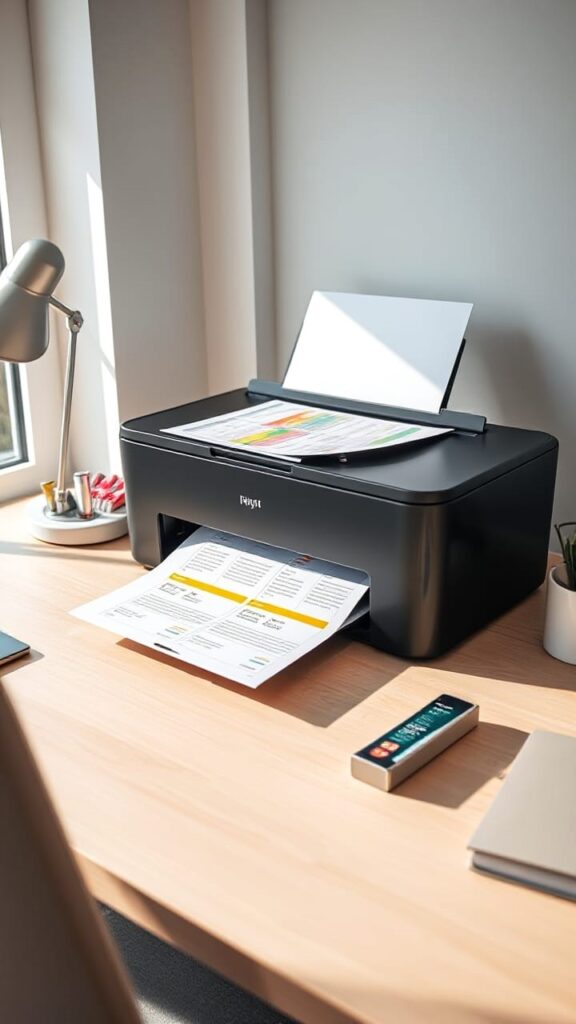
EcoTank printer with printed planner pages
Where to Find High-Quality Free Printable Planner Pages
Let’s be honest. This is probably the reason you started looking into printable planner supplies in the first place.
You download a planner page, print it, and expect it to look clean and professional. But not all free printables are created equal. Some look amazing, while others feel low quality even before printing.
The good news is, there are a few places where you can consistently find high-quality printable planner pages that actually work with your printable planner supplies setup.
The Best Sources That Actually Work
1. Pinterest
Pinterest is still one of the best places to find planner printables.
Search for terms like daily planner pages or weekly planner PDF, and you will find endless options. But here is the key. Do not just download blindly.
Always check the source.
Look for creators who show real PDF previews instead of just styled mockups. This helps you understand exactly how the page will look when printed.
2. Canva
Canva is a great option if you want more control.
They offer a wide range of free templates that you can customize before downloading. You can change colors, fonts, and layouts to match your style.
This works really well if you want your printable planner supplies to feel more personal instead of using generic designs.
3. Etsy Freebies
Many Etsy sellers offer free sample planner pages.
These are usually high quality because they are part of a paid collection. Sellers use them to show the value of their full planner sets.
Even if you do not buy anything, these samples often work perfectly with your printable planner supplies.
4. Blogs and Creator Websites
This is one of the most underrated sources.
Many bloggers and planning enthusiasts share free printable planner pages directly on their websites. The quality is often better because they are building trust and showcasing their work.
Are Free Printable Planner Pages Really Free
Most of the time, yes. But there are a few things you should know before downloading.
Completely Free
Some creators genuinely share printable planner pages for free.
These usually include a small watermark or credit line, which is fair considering the work involved.
Free with Email Signup
This is very common.
You enter your email, and in return, you get access to free planner pages. If you like the creator’s style, this is usually worth it.
Personal Use Only
This is important.
Most free planner printables are meant for personal use only. You cannot resell them or use them for commercial purposes.
Always check the usage terms before downloading.
Sample Pages from Paid Sets
Sometimes, what you download is just one page from a larger paid collection.
It is still useful, but it helps to know what you are getting.
At the end of the day, finding good printables is just as important as choosing the right printable planner supplies. When both work together, your planner finally starts to look clean, organized, and worth using every day.
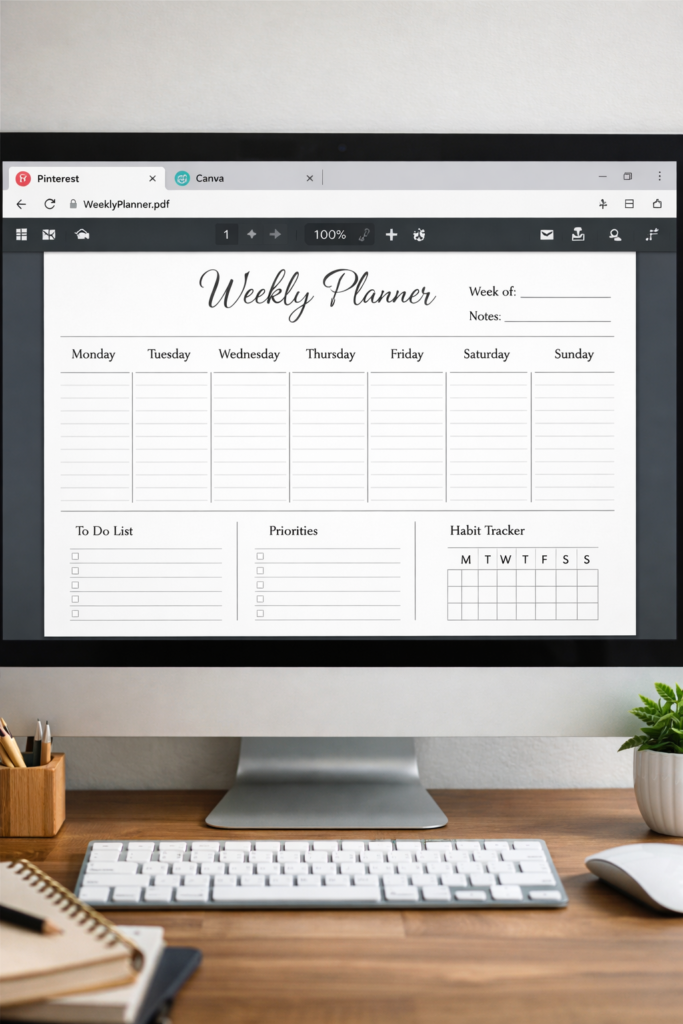
Beautiful Free Printable Planner Pages You Can Download and Print
Printer Settings That Make Your Printables Look Professional
This is where everything comes together.
You can have the best printable planner supplies, but if your printer settings are not right, your pages will still look average. Most people skip this step, and that is exactly why their prints do not match what they see on screen.
The good news is, you only need to fix a few settings to get clean and professional results.
The Settings That Actually Matter
1. Paper Type Setting
Always tell your printer what kind of paper you are using.
If you are using premium paper like 32 lb, select high-quality or premium paper in your settings. This helps your printer adjust the ink properly and gives better results.
2. Print Quality
Never use draft mode unless you are just testing.
For actual planner pages, always choose normal or best quality. Yes, it uses a bit more ink, but the difference is worth it. Clean prints are a big part of good printable planner supplies.
3. Color Settings
If your planner pages have colors, make sure color mode is selected, not grayscale.
Also, if your printer has options like vivid or photo quality, turn them on. This helps colors look sharper and more vibrant.
4. Two-Sided Printing
If your planner pages are meant to be printed on both sides, use duplex printing.
But make sure you are using thicker paper, like 32 lb. Otherwise, ink might show through and ruin the page.
5. Scaling Settings
This is one of the biggest mistakes people make.
Always set scaling to actual size or 100 percent. Never use fit to page.
Printable planner pages are designed for specific sizes. If your printer resizes them, layouts will not align properly.
How to Resize Printable Planner Pages for Different Sizes
Sometimes you find the perfect design, but the size does not match your planner. This is very common when working with printable planner supplies.
Here is how you can fix that without ruining the layout.
1. For A5 Planner Size
Open the PDF in Adobe Reader
Go to print settings and choose custom scale
Set it to 71 percent
Print on A5 paper or cut from Letter-size paper
2. For Half Letter Size
Go to print settings
Select multiple pages per sheet
Choose 2 pages per sheet
Cut the page in half
3. For Happy Planner Size
Most printable pages work fine if you print on Letter size and use a planner punch.
The margins may be slightly different, but overall, it works well.
Quick Summary – Best Printer Setup
| Setting | What to Choose | Why It Works |
|---|---|---|
| Paper Type | Premium or High Quality | Better ink control |
| Print Quality | Normal or Best | Cleaner output |
| Color Mode | Color or Vivid | Better colors |
| Scaling | 100 percent | Correct layout |
| Duplex | Use with thick paper | Clean double-sided prints |
Designer Tips for Cleaner Prints
- Always test one page before printing in bulk
- Use consistent paper for all pages
- Avoid over-saturated colors
- Keep margins clean for binding
- Store printed pages flat
When you combine the right settings with good printable planner supplies, your planner pages start looking clean, sharp, and truly professional.

Planner Size Comparison: A5 vs Letter vs Half Letter vs Happy Planner
Using Free Planner Printables Digitally on iPad or Tablet
You do not always need to print everything.
A lot of people now use printable planner supplies in a digital way, especially on tablets. It is flexible, clean, and perfect if you like making quick changes without reprinting pages.
Can You Use Printable Planner PDFs on an iPad?
Yes, and it is very easy.
You can take any planner PDF and use it digitally without losing quality.
How to Use Printable Planner Pages Digitally
Here is a simple way to get started:
Download your planner PDF on your device
Open it in apps like GoodNotes or Notability
Use an Apple Pencil or any stylus to write on it
One of the biggest advantages of digital planning is flexibility. You can duplicate pages as many times as you want. One weekly planner file can last forever.
You can also edit your planner before using it. Change dates, adjust colors, or add your name using Canva or a PDF editor. Then import the updated version into your app.
Many people combine both styles:
Printed planners for daily routines
Digital planners for flexible or changing tasks
This balance works really well with modern printable planner supplies setups.
How to Edit Printable Planner PDFs Before Printing
Sometimes a planner is almost perfect but needs a few small changes.
Instead of settling, you can quickly edit it.
Simple Editing Without Special Software
1. Using Canva
Upload your planner PDF
Edit text like dates or headings
Change colors if needed
Download the updated file and print
2. Using Free PDF Editing Tools
Upload your planner file
Add or adjust text
Save and print
These methods are quick and work well for most printable planner supplies users.
Advanced Editing Options
If you want full control, you can use advanced tools.
These allow you to:
Change layouts
Combine pages
Create custom planner setups
For example, you can mix:
Weekly layout from one file
Habit tracker from another
This helps you build a planner that actually fits your routine.
Printing Planner Stickers at Home
Another fun part of using printable planner supplies is printing your own stickers.
It saves money and lets you customize everything.
What You Need
Printable sticker paper
Scissors or a paper trimmer
An optional cutting machine for precision
How to Print Planner Stickers Properly
Download your sticker template
Load the sticker paper correctly into your printer
Use high-quality print settings
Let the ink dry for 5 to 10 minutes
Cut carefully
Peel and use
Important Tip
Do not touch the stickers immediately after printing.
Wet ink can smudge and ruin the design. Give it a few minutes to dry properly.
Using both digital and printed methods gives you more flexibility. It also helps you get the most out of your printable planner supplies without wasting paper or ink.
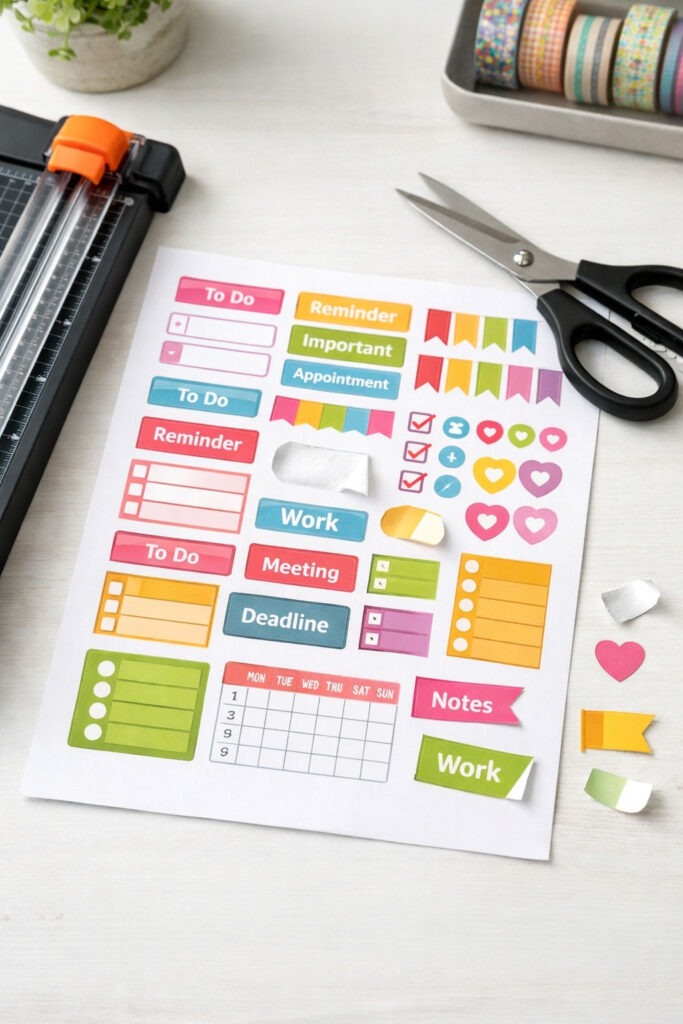
Printed Planner Sticker Sheet
How to Bind Your Printed Planner Pages
Once your pages are ready, the next step is to turn them into a proper planner.
Good printable planner supplies are not just about printing. Binding matters just as much because it affects how easy your planner is to use every day.
Easy Binding Options for Home Use
1. Disc Binding
This is one of the most flexible and professional-looking options.
Punch your pages using a disc punch
Add discs to hold everything together
You can move, add, or remove pages anytime
It costs a bit more at the start, but it lasts longer and works perfectly with printable planner supplies.
2. Three Ring Binding
This is the easiest and cheapest option.
Use a basic hole punch and a binder
Supplies are easy to find
Pages stay secure
The only downside is that rearranging pages is not very smooth.
3. Coil Binding
If you want a clean and permanent setup, this works well.
Take your printed pages to a print shop
They bind it for a small fee
The planner lies flat
But you cannot add or remove pages later
4. Clip Binding
This is the most budget-friendly option.
Use binder clips
Fast and simple
Not fancy, but it gets the job done
No matter which method you choose, the goal is simple. Make your planner easy to use. Even basic setups can look great when combined with good printable planner supplies.
How to Avoid Ink Bleed and See-Through Pages
This is a very common issue.
Even good designs can look bad if ink bleeds through the page.
How to Fix It
Use thick paper, like 32 lb
Always test your pens on extra pages
Ballpoint and dry gel pens work best
Avoid heavy markers that soak through paper
If you love using markers, print only on one side of the page.
Yes, it uses more paper, but your planner will look cleaner and easier to use.
Many planner users keep a small list of pens that work best with their printable planner supplies setup.
Printable Planner Supplies Checklist
If you are just getting started, this checklist will help you avoid confusion.
Must Have Supplies
A reliable printer
32 lb premium paper
A binding system, like a binder or disc setup
Nice to Have
Paper trimmer for clean edges
Sticker paper for custom stickers
Hole punch based on your binding type
Optional Extras
Laminating sheets for covers
Corner rounder for smooth edges
Cardstock for dividers
With the right printable planner supplies, you can create planner pages at home that feel strong, clean, and professional.
Supplies Comparison
| Supply | Budget Option | Premium Option | Why Upgrade |
|---|---|---|---|
| Printer | Basic inkjet 50 to 80 dollars | Epson EcoTank 250 to 350 dollars | Saves ink cost long term |
| Paper | 24 lb paper | 32 lb premium paper | No bleed and better feel |
| Binding | 3 ring binder | Disc system | Easy page rearranging |
| Trimmer | Scissors | Paper trimmer | Clean cuts |
Designer Tips for Better Planner Setup
- Keep your planner simple and easy to use
- Avoid over-decorating pages
- Use consistent paper for all prints
- Store extra pages neatly
- Upgrade slowly based on your needs
Start with the basics. Once you get comfortable, you can improve your setup step by step.
That is the real beauty of using printable planner supplies. You build your system your way.
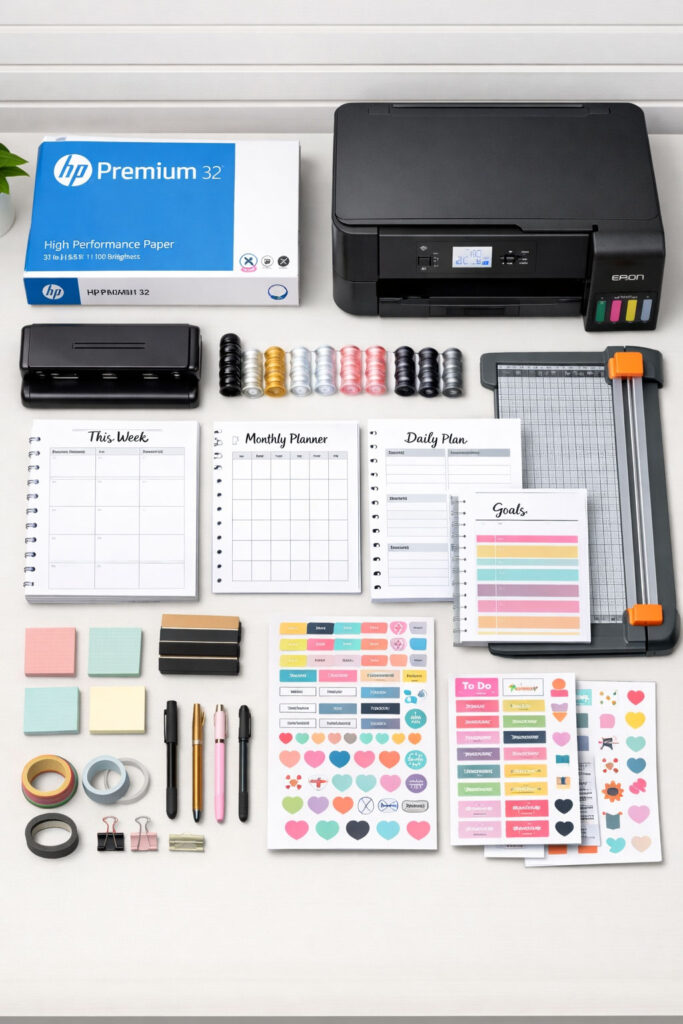
Flat Lay of Printable Planner Supplies Neatly Organized
Common Mistakes to Avoid When Printing Planner Pages
Even if you have the best printable planner supplies, small mistakes can ruin your final result.
Avoid these, and your planner pages will instantly look cleaner and more professional.
1. Not Checking Print Preview
Always check the print preview before printing.
Sometimes pages look perfect on screen, but print incorrectly in size or alignment. A quick preview saves paper and avoids frustration.
2. Using Draft Mode
Draft mode may save ink, but it also makes your pages look faded and low quality.
For good results, always use normal or best quality settings. This is a basic rule when working with printable planner supplies.
3. Wrong Double-Sided Printing Setup
Printing on both sides can go wrong if you do not test it first.
Always print one sample page to check alignment. This ensures the front and back pages line up properly.
4. Downloading Low-Quality Files
If a planner PDF looks blurry on screen, it will look worse when printed.
Always choose high-quality files. Good designs deserve good printable planner supplies to match.
5. Ignoring Printer Margins
Not all printers can print edge-to-edge.
Check your printer margin limits before printing borderless designs. Otherwise, parts of your layout may get cut off.
6. Not Organizing Planner Files
Planner files can quickly become messy.
Create folders
Rename files clearly
Keep everything sorted
This saves time when you are working regularly with printable planner supplies.
Making Printable Planner Supplies Work for You
At the end of the day, the goal is simple.
It is not about having the most aesthetic planner.
It is about having a planner you actually use.
Some people create beautiful planners but never follow them.
Others use simple layouts and stay consistent.
The best system is the one that fits your life.
Start Simple
Do not overcomplicate things in the beginning.
Print one weekly planner page
Use it for a full week
Add extra pages only if needed
For example:
Add a habit tracker only if it helps
Add a meal planner only if you actually use it
Avoid printing pages in batches of months at once.
First, test what works for you. Then build your system slowly using the right printable planner supplies.
Quick Tip for Long-Term Use
Printable planner files are reusable.
Once you find a layout that works, you can print it again anytime. This is what makes printable planner supplies so powerful and budget-friendly.
Designer Tips for Better Planning Consistency
- Keep your layout simple and clean
- Do not overload pages with too many sections
- Use the same format every week
- Focus on function first, then aesthetics
- Make planning a daily habit
Start small. Stay consistent. Adjust as you go.
That is how you build a planner system that actually works.
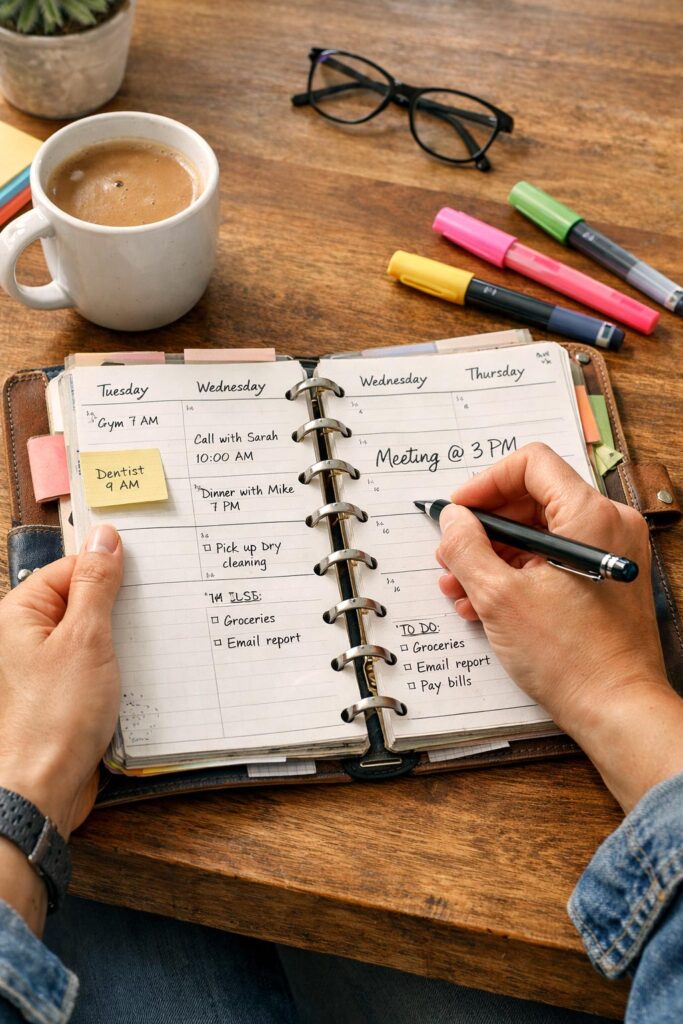
Everyday Planner in Use
Final Thoughts on Printable Planner Supplies
Here is the simple truth.
You do not need expensive tools to create a beautiful planner. You need the right approach and the right printable planner supplies.
Start with good paper.
Fix your printer settings.
Choose layouts that actually fit your life.
Do not try to build a perfect planner from day one.
Start small. Test what works. Improve slowly.
Because in the end, the best planner is not the most aesthetic one.
It is the one you actually use every day.
And if you want more simple, practical ideas like this, you can always explore Decorival.com for easy home and lifestyle guides that actually work.